Add to Home screen (or A2HS for short) is a feature available in modern browsers that allows a user to "install" a web app, i.e. add a shortcut to their Home screen representing their favorite web app (or site) so they can subsequently access it with a single tap.
This tutorial explains How you can 'Add to Home Screen' Halawi.org WebApp.
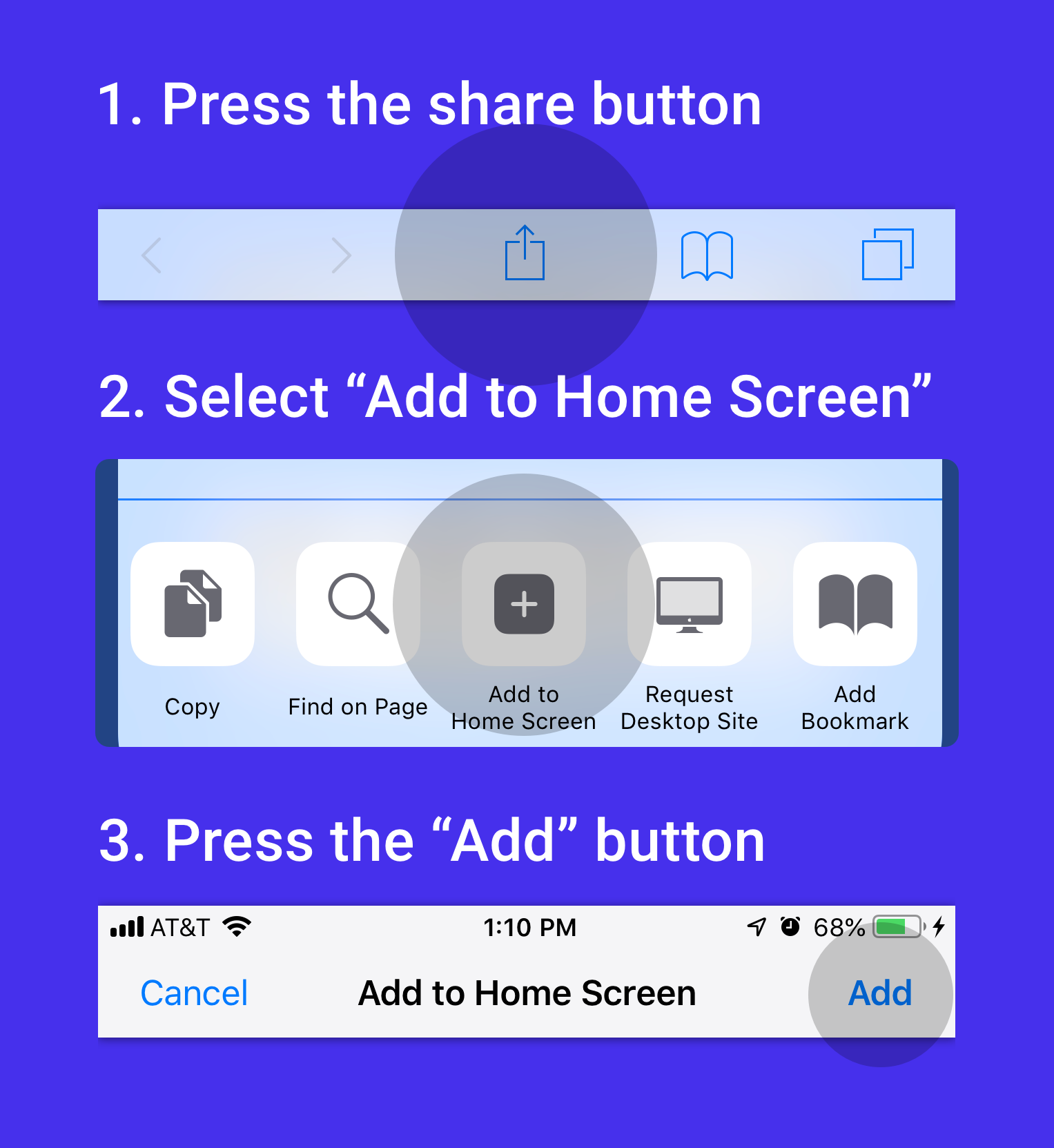
For iOS Devices
For Android Devices
If you have either Firefox for Android or Chrome for Android available. Open the menu next to the URL bar (the URL bar appears on the top in Chrome and at the bottom in Firefox). Depending on whether you're using Chrome or Android you'll see a menu option "Install" or "Install App". This is the "Add to Home screen" option.


Note: On older browser versions you may see a "home" icon with a plus (+) icon inside it. This does the same thing!

This process may differ slightly depending on the browser, mobile device operating system, and even the device. For example, Firefox on Android on a Google Pixel 3 will display the Pixel launcher.
